
HubSpot Context Home: Is Your CRM Ready for AI?
HubSpot’s new Context Home gives your portal a score. Clean, simple, easy to act on. That’s exactly why it’s worth reading carefully.
Here’s what Context Home is, what the score tells you, and what it can’t. It’s one piece of a bigger release, which we cover in our HubSpot UNBOUND 2026 overview.
What Is HubSpot Context Home?
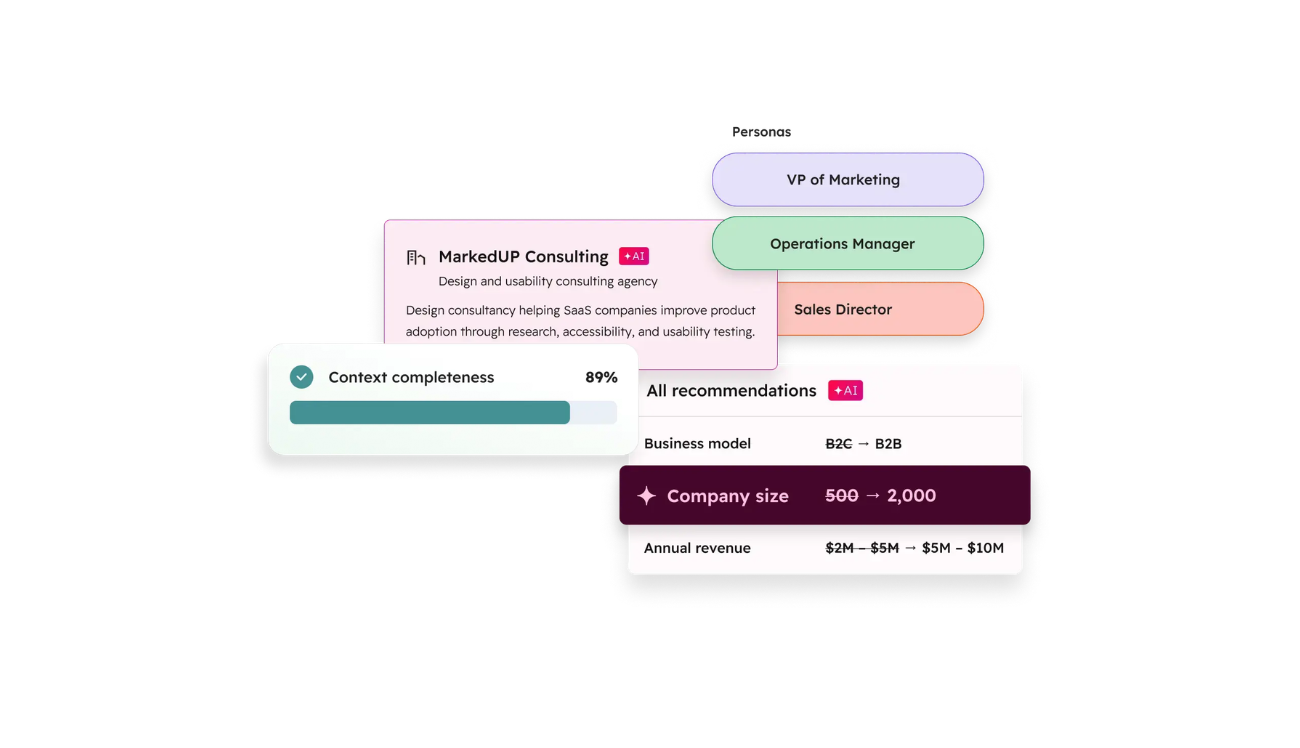
Context Home arrived with HubSpot’s Fall 2026 Spotlight at UNBOUND. HubSpot describes it as a single place to see and manage the context its AI works from: the information about your business, your team and your customers that agents use to decide what to write, who to contact and what to do next. HubSpot calls that body of information Growth Context.
Context Home gives you a score for how complete that context is, with the gaps listed underneath.
Why it exists: HubSpot’s whole AI pitch is that agents perform better when they know your business. Context Home is where you check what they know. Until now, that knowledge built up in the background, mostly through a settings page called AI Data Sources. Now you can open it, read it and correct it in one place.
What the Context Home Score Measures
Based on what HubSpot has published, the score is about completeness across three layers:
- Business context: positioning, brand, company profile, product.
- Customer context: personas, ICP, buying signals, conversation history.
- Team context: roles, goals, processes, approvals, sales playbooks.
As new information comes in, like meeting notes or transcripts, Context Home can suggest additions for you to review. You stay in control of what gets added or changed.
In plain terms, the score answers one question: does HubSpot’s AI know enough about how we work? That’s a useful question, and worth answering before you switch anything on.
Start by opening it and reading it the way a stranger would. If it describes your ICP wrong, agents will target the wrong people, confidently.
What a Completeness Score Can’t Tell You
Completeness isn’t correctness, and neither one is the same as health. From what HubSpot has published, the score is built to tell you what’s missing. It isn’t designed to tell you whether what’s already there is right, or whether the CRM underneath is structured to support it.
Things a completeness score isn’t built to catch:
- Deal stages that don’t match how deals actually move.
- Lifecycle stages that mean different things to marketing and sales.
- Duplicate contacts and companies.
- Workflows that conflict, fire twice or that nobody remembers building.
- Properties that overlap or sit half-used.
- Permissions and ownership rules that let anyone change anything.
- Integrations that sync bad data.
None of these are context problems. They’re configuration problems. And they decide whether an agent’s output is usable. In principle, a portal can score well on context and still be a mess underneath.
Why AI Agents Fail on Messy CRM Data
Agents act on what’s in your portal. If the pipeline is fuzzy, the agent updates a fuzzy pipeline. If two records exist for one person, follow-ups go out twice. If a workflow fires on a stage change, an AI-made update triggers it exactly like a human one.
Two things make this worse than the old days. Speed: an agent can make in an hour the mistakes a person makes in a month. And trust: the more polished the output looks, the less people check it. One-click approval keeps a human in the loop, but only if that human knows what a wrong update looks like.
In the audits we run, teams typically use around 20–30% of what HubSpot gives them. Agents don’t close that gap. They inherit it.
5 Signs Your Portal Isn’t Ready for AI Agents
- Nobody explains your lifecycle stages the same way twice. Ask three people what “MQL” or “SQL” means at your company. If you get three answers, an agent will pick one.
- Reps skip stages or backfill them. If deals are updated after the fact, “current” data isn’t current.
- You tolerate duplicates. If “we know about those” is a sentence you’ve said, this is you.
- Nobody owns your workflows. Built by someone who left, or by an agency you no longer work with.
- Your ICP lives in someone’s head. If it isn’t written down in the portal, Context Home will show you the gap fast.
If two or more sound familiar, the portal needs attention before agents do.
How to Prepare Your HubSpot for AI Agents
- Read Context Home and correct what’s wrong or empty.
- Write down your stage definitions and exit criteria, and check that the pipeline actually matches them.
- Deduplicate records and assign owners.
- Document your workflows, and fix or remove the ones that conflict.
- Decide who reviews AI-made changes.
You can do the first two yourself in an afternoon. Steps three and four are where a structured review pays for itself. For the item-by-item version, see The HubSpot Audit Checklist We Run With Every Client.
When to Audit Before You Switch Agents On
An audit makes sense if you inherited the portal from someone else, if you don’t trust your pipeline numbers, if you’re about to pay for metered agents, if the portal has been through more than one admin or agency, or if nobody can answer “who owns this workflow?”
Not sure what an audit covers? What Is a HubSpot Audit, Exactly? explains the scope. A HubSpot Audit at Manyflow is a scoped review of the portal you already have, ending in a prioritized action plan. If the findings are big, a Reset executes the fixes. If the portal is structurally wrong for how you sell, Implementation from scratch is the honest answer.
Want to know where your portal stands before you switch anything on? Book a free consultation and we’ll look at it together.
FAQ

Manyflow
Alineamos, automatizamos, y aceleramos tus operaciones de Marketing, Ventas y Soporte a través de soluciones de C.R.M.
Leave a Reply